

New Organization Structure with Groups
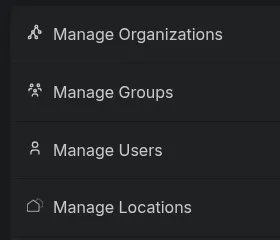
We have restructured how organizations, groups, and locations work together to make access management clearer:
- Organizations are now the official top-level entities. They can only be created, renamed, or deleted by the platform operator. Organization admins continue to manage the organization’s roles, notifications, groups, and user assignments.
- Groups are new: they can be created and managed within an organization in the new “Groups” section of the organization editor. Groups let you authorize a set of users for several locations at once.
- Locations now belong to exactly one organization, which is selected when the location is created. In addition, a location can be associated with any number of groups; members of these groups can access the location as well.
Existing organizations and location assignments are migrated automatically - no action is required.
External References and Properties
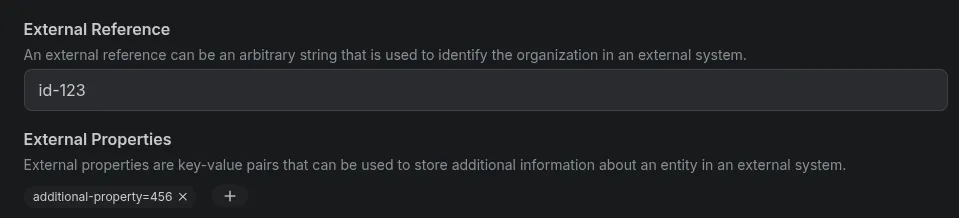
Organizations, locations, and devices can now store an external reference as well as arbitrary key-value properties. This makes it easier to link them to entities in external systems - e.g. for your own API integrations.
Invitation Emails - Status and Resend
In the user list as well as in the detail view of a user, the status of the invitation email is now displayed. In addition, the invitation email can be resent if the user did not receive the original invitation email or if the invitation code has expired.

More Reliable QR Code Scanner
The QR code scanner now recognizes codes much more reliably, especially on iPhones, including small or slightly blurry codes. On iPhones with multiple cameras, the camera that focuses best at close range is selected automatically. The last selected camera is remembered, and the scanner opens faster.
Activation Feedback in the Overview
The statistics in the overview now take activation feedback into account. Previously, triggers and catches were counted based on the sensor alone. Now the feedback takes precedence:
- Mouse caught counts a catch even if the sensor did not detect it.
- Trap empty removes a catch that was reported by mistake.
- Maintenance excludes the activation from the statistics entirely.
Without feedback, the sensor still decides.
Bug Fixes and Improvements
- The “Connection” diagram no longer shows SNR/RSSI axes for gateways, as these values are not available for gateways.
- After logging out and logging back in, already seen changelog notifications will no longer be displayed
- The “Stability” status of a device is now displayed in the correct color.
- Fixed an error that could occur when creating a trap.
- The default roles provided by the system now have translated names, so they are displayed correctly in the respective language.
- Password managers now correctly recognize the password field on the login page and can fill in the saved password.